
That’s how I looked when I started going down my rabbit hole of ✨ keyboards ✨. I’m talking the keycaps, the switches, and ARTISANAL CAPS. Like literally everything. The question was how (not why) and even what, because I wanted it to be different. I mean like “pimp my keyboard” or something of sorts. (For those too young, I’m playing off the TV show back in the 90s called “Pimp My Ride” with Xhibit; yeah go look that up)
Anyway, It’s sitting on my desk right now FINALLY FINISHED 😭. Beige chassis with rainbow RGB bleeding out from underneath every key. A skull made of resin where the Escape key used to be. “SEE YOU SPACE COWBOY…” stretched across the spacebar in white serif font. NieR Automata characters rendered in sketch ink across the F5 through F8 keys. A tiny TFT screen next to the volume knob playing a GIF of the Black guy with question marks floating around his head on loop (check pic above for reference). AND MUCH MORE.
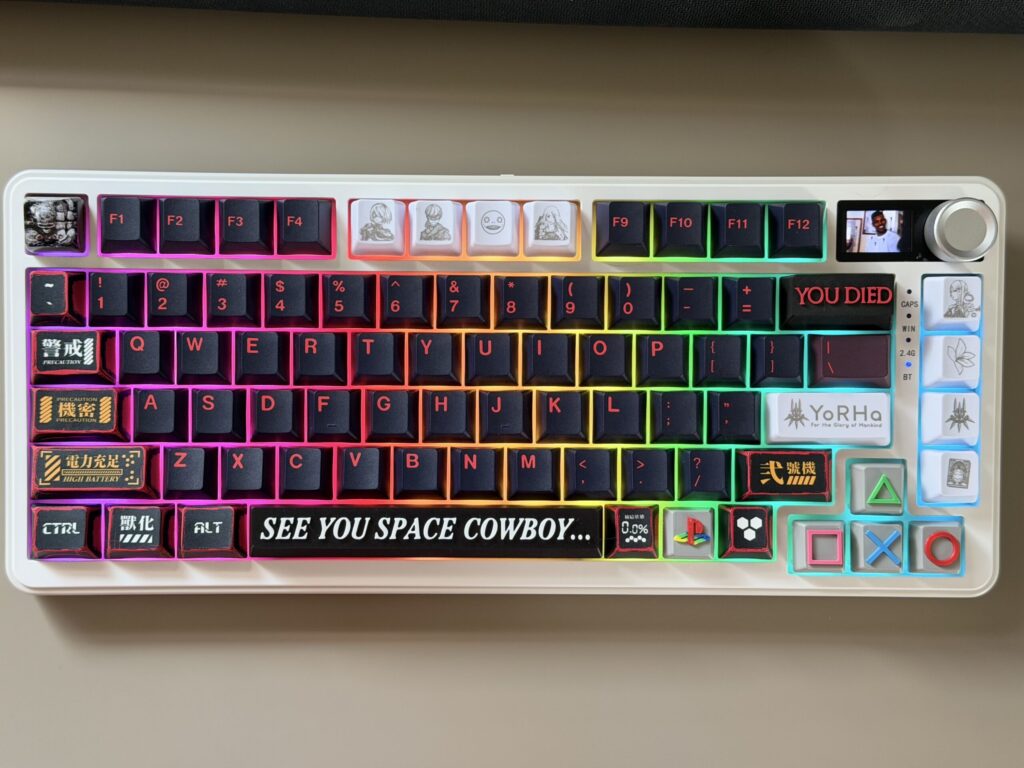
I didn’t go looking for this hobby. I was just…looking for a unique keyboard to replace my old Qwertywriter mechanical keyboard. I had it since lockdown, but it was very beat up and rough. I wanted it to be wireless of course, maybe this time with a volume knob on it. Maybe a little screen because I’d seen them and thought they looked cool and had no idea what they did. That was the full extent of my requirements. I figured I’d spend $80, receive a keyboard, and move on with my life. However, the more research I did, the more my world view began to open up.
Lmao, I spent about $355 🥲… But look it was worth it; let me explain! 🥴
The Research: Keyboard
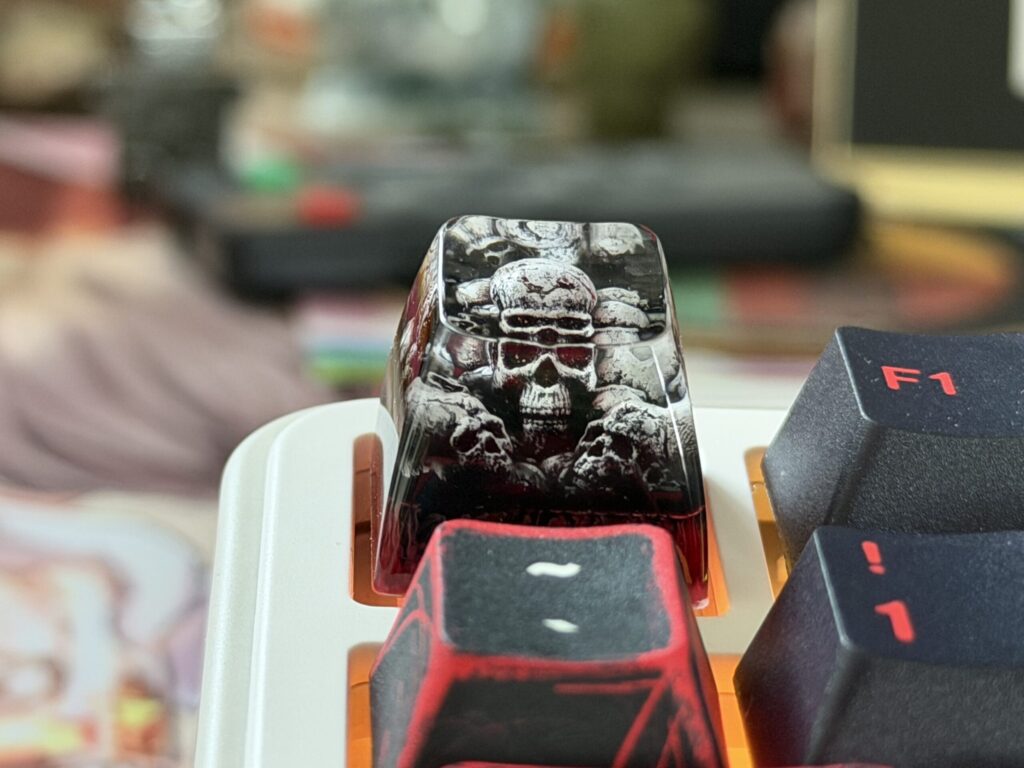
Upon my research, I happened onto this YouTuber named Glarses, and I was like WUT?! I learned some new perspectives. Like how there are different keycap profiles?! For example, there’s “Cherry MX compatible” and you think that means you need a Cherry MX keyboard, specifically, from the Cherry MX brand, which is apparently a thing. It does not mean that at all. It means the stem (the little plus-shaped piece that connects keycap to switch) follows a standard that Cherry invented and everyone else copied. Basically every switch you’d actually want uses that shape. Which is its whole other thing on its own BELOW the keycaps. I did enough YouTube short switch previews that I had finally decided yes I will do the Gateron Oil Kings, which you guessed it are Cherry MX compatible. Or even the HMX Hibiscus I could have bought instead. (Also Cherry MX compatible, go figure). But instead of buying any of these (due to price I guess ironically), I kept the candy switches from the keyboard I chose (off Amazon). Plus, it has a creamy (maybe thocky?) nice sound to it already. As I worked down the schematics of what it would take to now BUILD this keyboard from scratch, I divulged into different keycaps. I eventually got on Etsy and discovered the world of artisanal keycaps. The artisan resin skull sitting on my Escape key that I found on Amazon at 2am? Cherry MX compatible, tooooooooo.
I now know the ins and outs of it (mostly). I did not know this then, and arguably spent a genuinely embarrassing amount of time confused about it (and research really, which you’re welcome Glarses and other YouTubers for my views, likes, etc 😂).
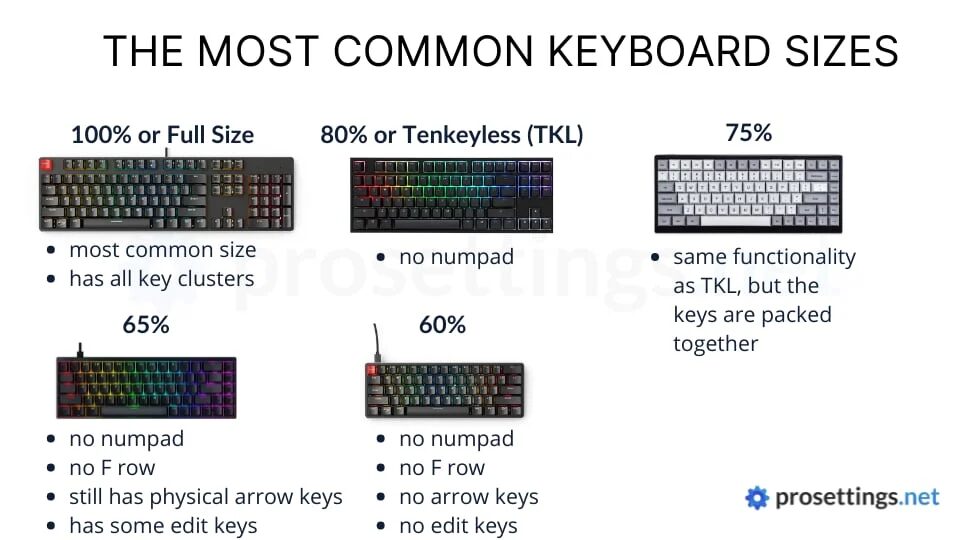
Then there’s the percentage thing. Keyboards come in sizes: 100%, 95%, 80% (or TKL), 75%, 65%, 60%, 50%, 40% (to my knowledge). The percentage refers to how many keys you’re keeping. Full size gets you a numpad. 75% gets you everything you actually use plus a little cluster of extra keys on the right side (what I ended up choosing). That’s where the knob and screen tend to live. That’s what I wanted, so 75% it was.
I landed on the Yunzii B75 Pro Max: beige color way, candy switches stock, TFT color screen, knob, wireless, hot-swappable (that’s the phrase I eventually realized was so important). Hot-swappable, I learned, means the switches and keycaps just… pop in and out. No soldering nor technical skill required beyond “push down until it clicks.” The fact that this was an option felt like a gift. I ordered it, and then I went back to Etsy. Which to clarify, I almost just had someone else do this on Etsy for me because I was really liking what they had, and the concept was a lot to digest (their page is here). Though when I saw the keycaps I wanted in addition… I was like I should learn. I’m in IT after all lmao 😆
The Research: Keys
I made a list in my bear app (apple only app?), and setup my system of what and how much, where, with the why being ✨ cool af ✨. It’s at the very bottom of this post.
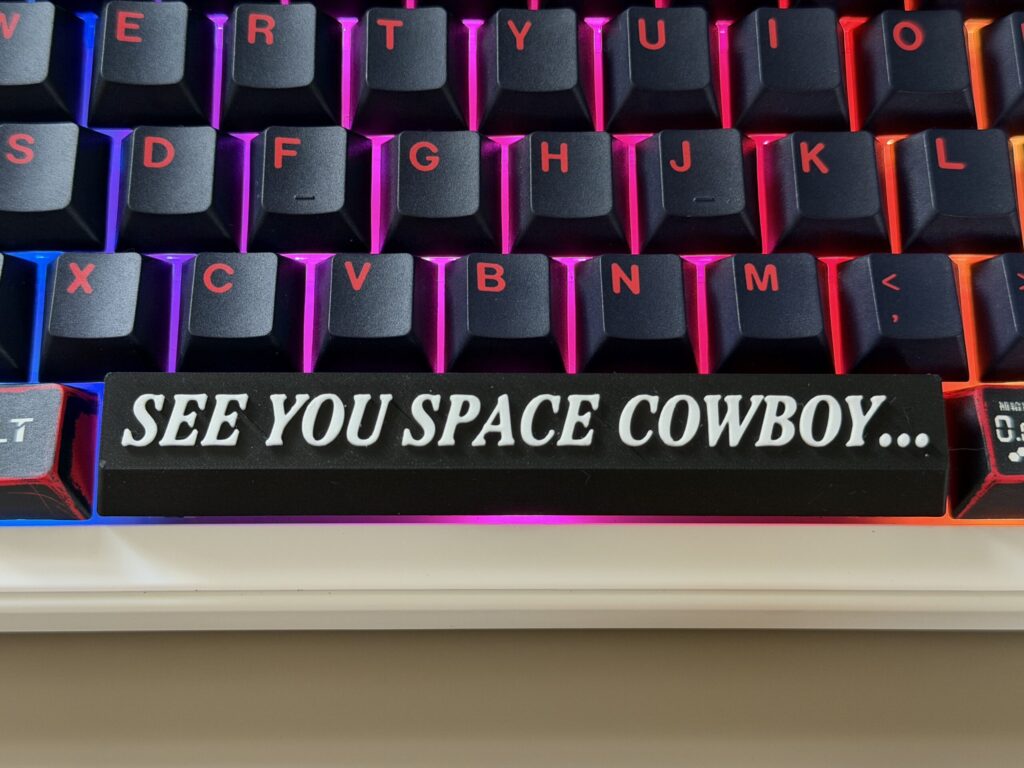
It started reasonable initially looking at just the keyboard I wanted, at least. I needed to work with something. Then I documented the switches I was considering. Then a few artisan keycaps: one-of-a-kind sculpted resin pieces that replace individual keys for personality. I’d found a “YOU DIED” spacebar in the Dark Souls typeface, black with raised red letters. I’d found a “SEE YOU SPACE COWBOY…” spacebar, Cowboy Bebop’s closing card rendered as a keycap. I’d found a resin skull for Escape. Found these cool playstation keycaps (that’s my console that I main 100% of the time). I started to rack up a bunch of ideas in my Etsy custom list for this project. I was thinking at first maybe three, maybe four accent pieces on a dark base set. But then, I got more ideasssss.
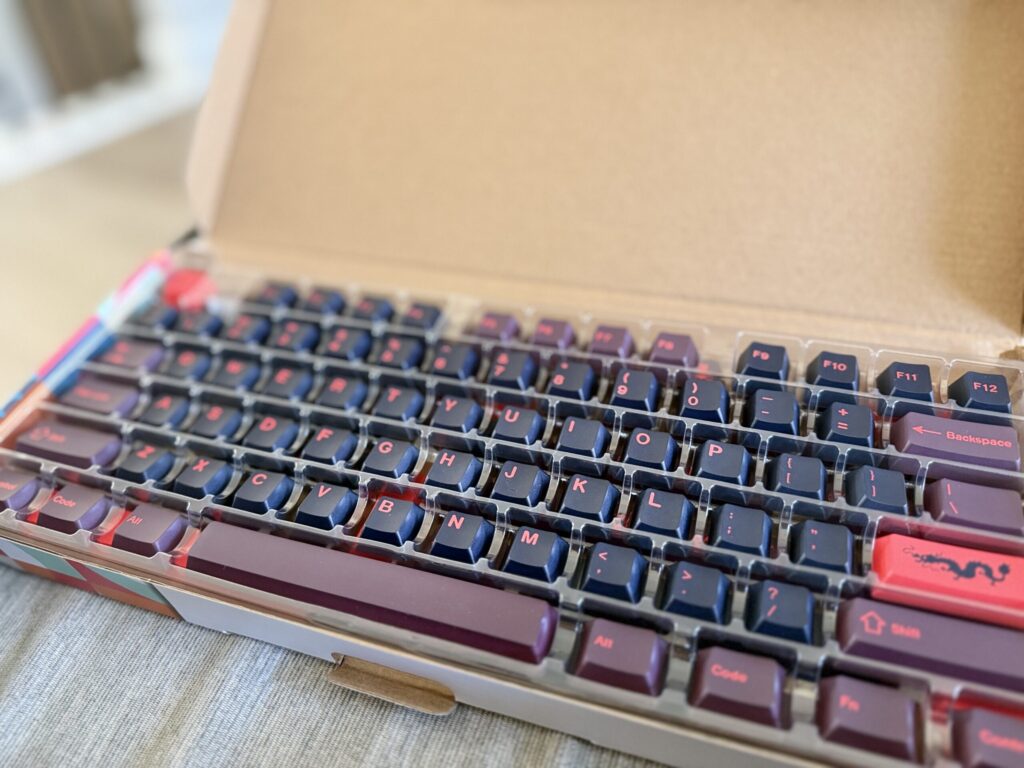
I found the Red Dragon keycap set, also on Etsy. I figured I’d like to have different letters and numbers that are black with red lettering. I was considering the evil dolch keycap set, but these really spoke to me.
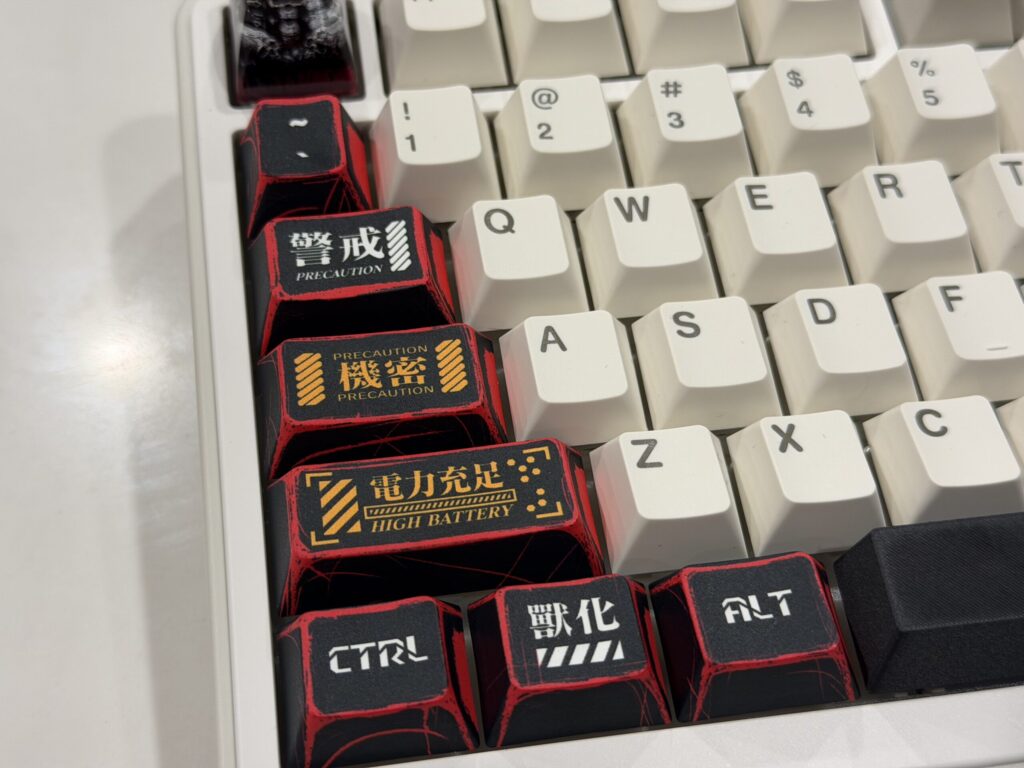
Then I wanted a type of anime theme for the other keycaps that typically did not have artisanal keycaps made for (ie. Shift keys, control keys, etc). So I ended up with the Key Manga Anime set: Black and deep red, Evangelion-coded, with kanji running down the keys. It was $28 on Amazon with a coupon for 20% off, thank goodness 😅.
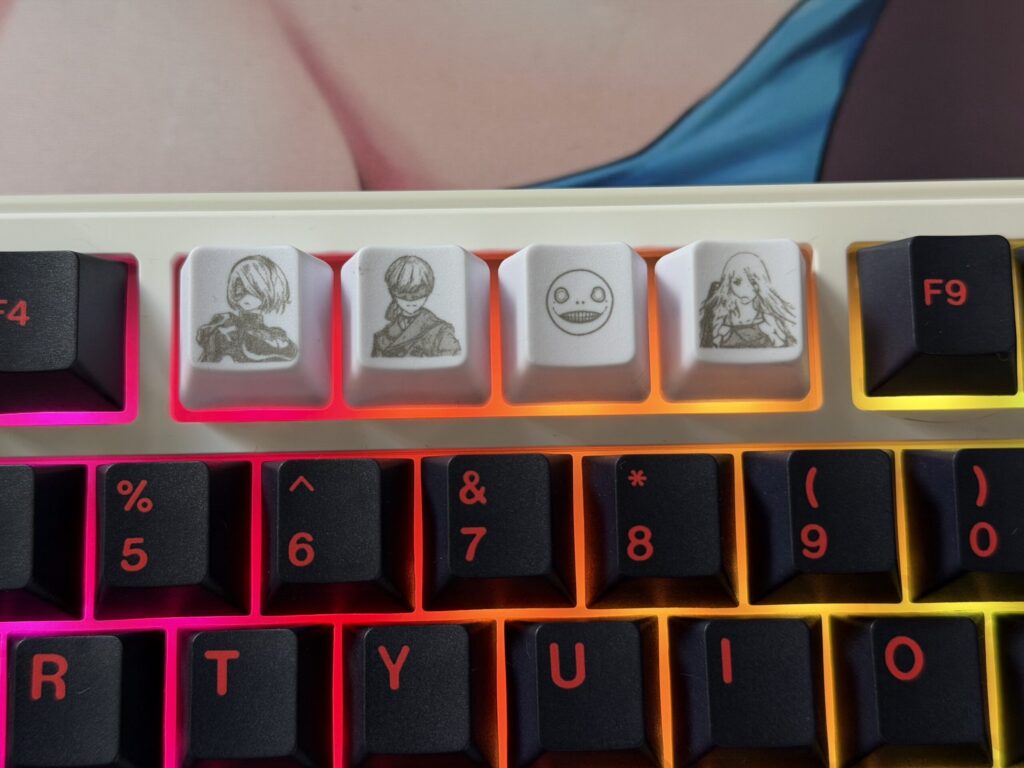
After I locked down the keyboard itself and the main keycaps for the keyboard, obviously, I now needed (more) artisanal keycaps lmao. I decided I needed the NieR Automata keycap set. 2B, 9S, Emil, A2 across the F5 – F8 keys in delicate sketch-line illustration. The YoRHa insignia as the Enter key. Great game, which I also platinum on playstation. Which leads me to my next set of keys. The PlayStation symbol set for the arrow keys (triangle, X, circle, square in their original colors) and the old school PS logo for the FN key, all added to the cart before I fully made the decision. I wanted to do the N64 cartridge keys for End, PgUp, and PgDn, but when I saw I had 4 extra keycaps with the NieR, I decided to hold off from buying it for now. As a note, they were going to be the following games: Mario 64, Conker’s Bad Fur Day, and Super Smash Bros (or Banjo-Kazooie). Absolutely unhinged and completely correct.
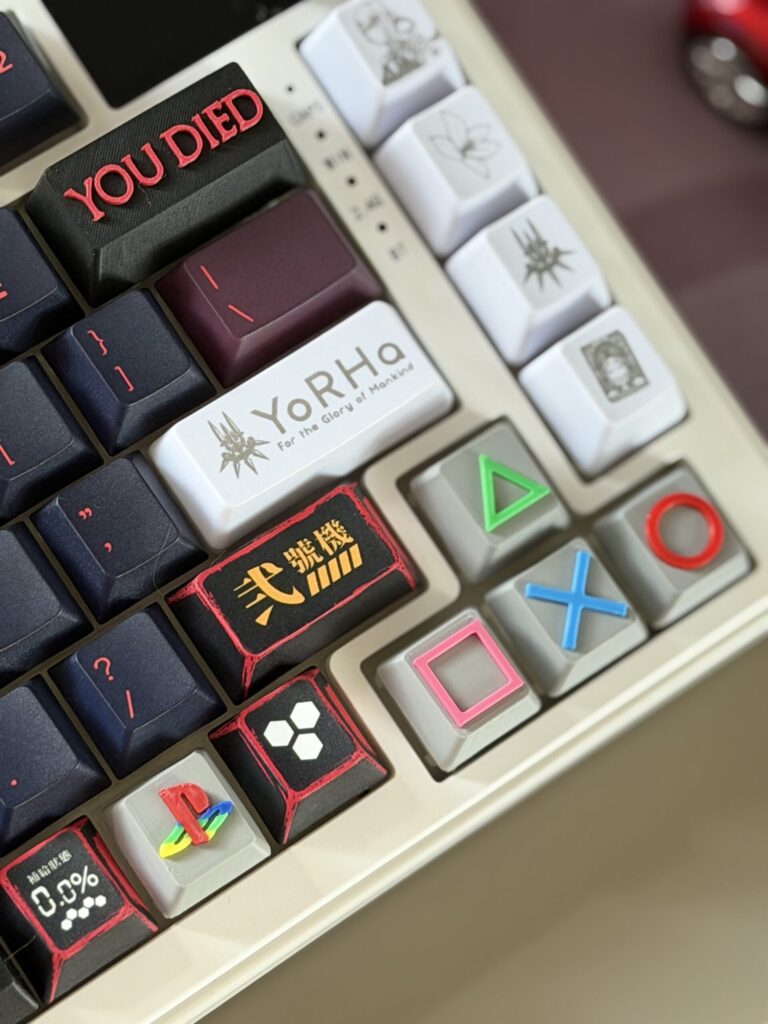
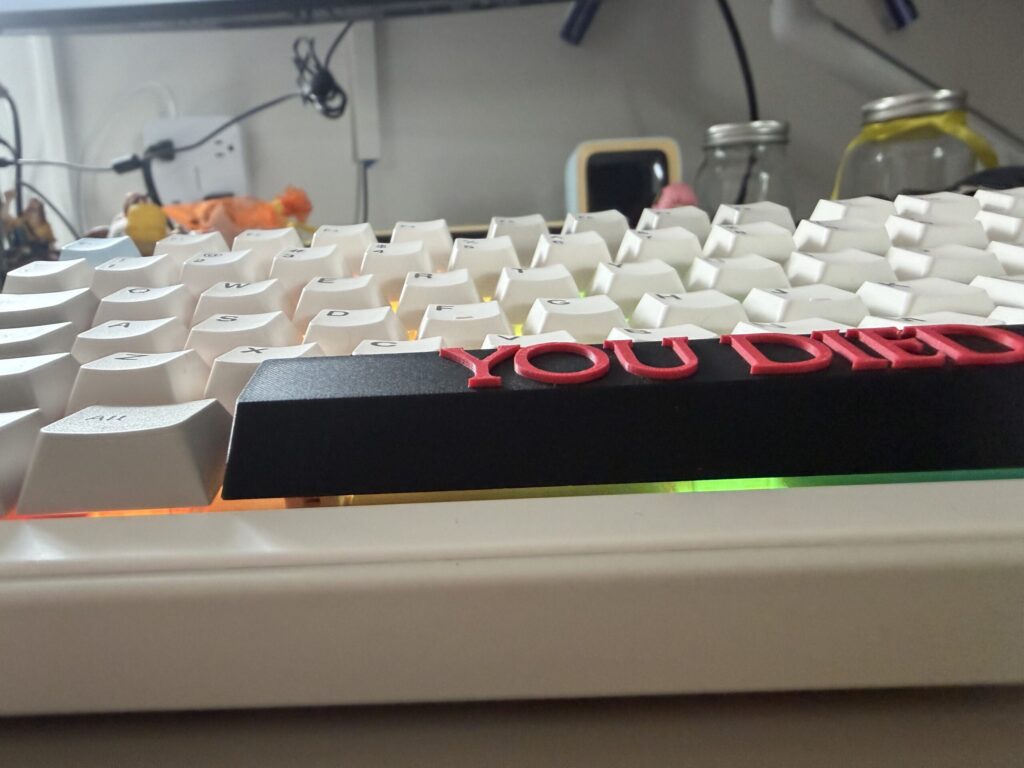
Then the YOU DIED spacebar arrived.
It was floating, and not flush with the board like a normal keycap, but sitting up higher. Originally, it had not occurred to me that my keyboard was using OEM keycaps (learning curve) , and that the new keycaps I was getting (all cherry) may present problem. The spacebar was 3D printed with the letters proud above everything else, but the profile felt completely wrong for the board. I stared at it for a while. Then my partner Dan, who has a Bambu 3D printer and the energy of someone who believes every problem is solvable with enough iterations (INTJ), offered to print a replacement.
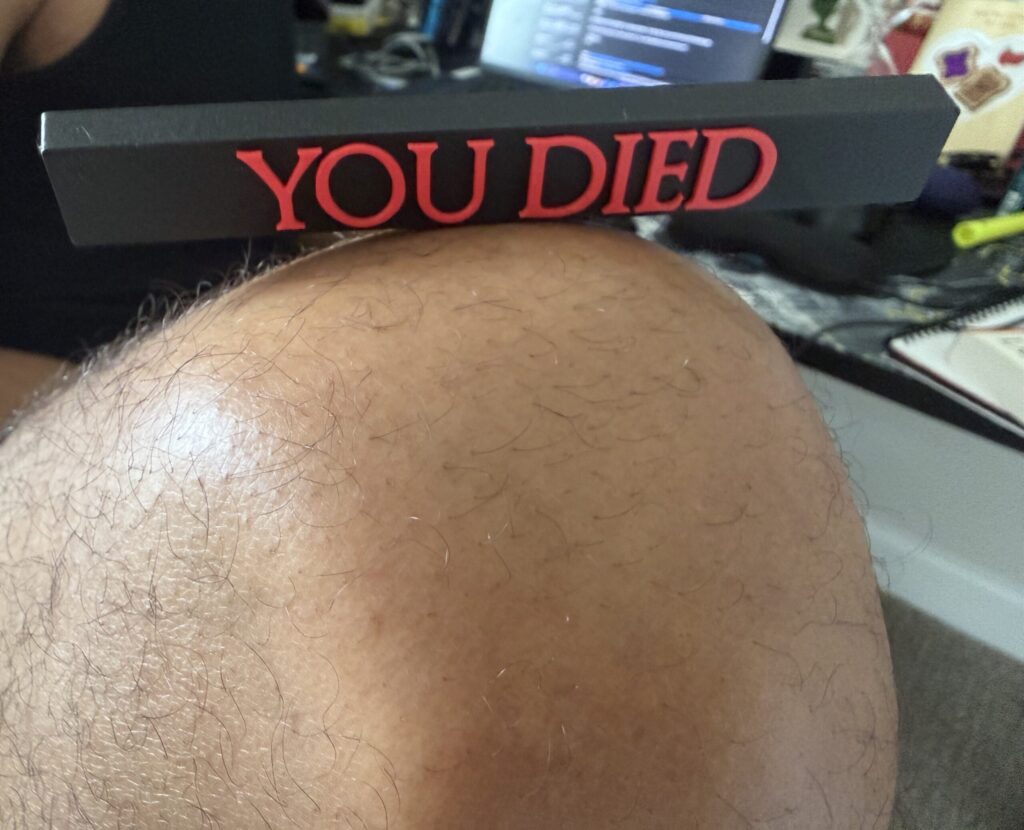
The replacement was…worse lmao. The letters had visible print layers and were slightly melting into each other. It said “YOU DIED” in a font that looked like it was dying itself. We both looked at it for a while.
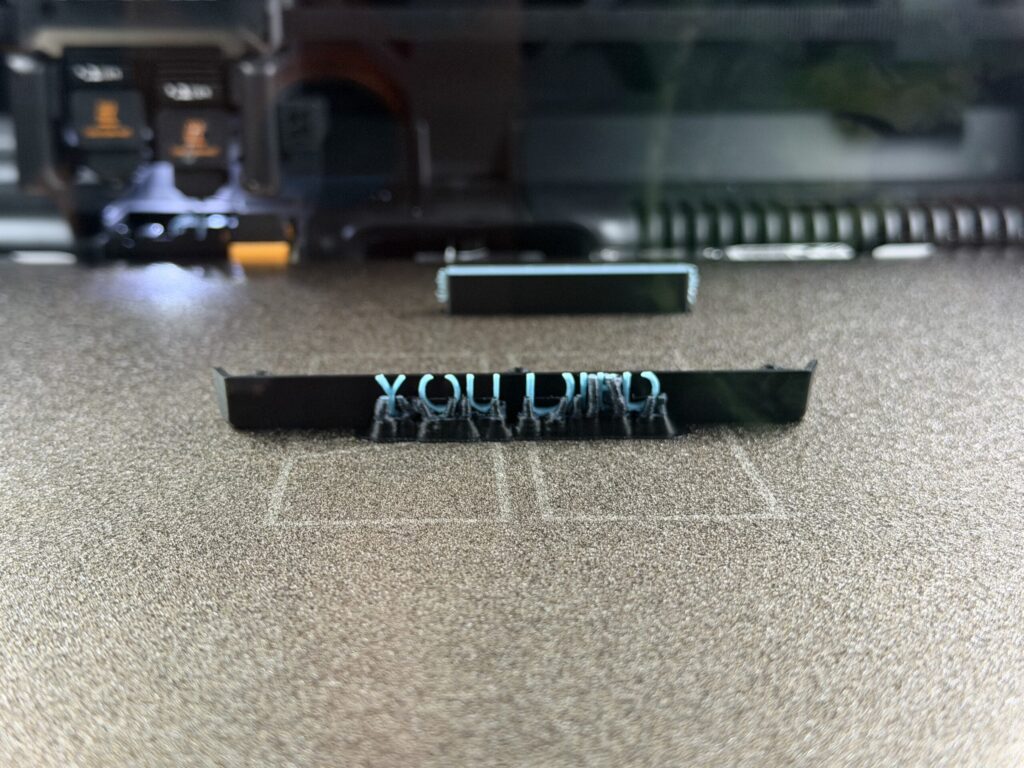
“We tried,” I said.
“We tried,” he agreed.
And then, in a plot development that felt narratively appropriate, the original YOU DIED spacebar broke. Just snapped under the farthest right notch for the switch. Just Gone (probably after a lot of push and pull from modding). So instead, I ordered the “SEE YOU SPACE COWBOY…” spacebar (from the same Etsy seller) the following week. I was sad because I wanted it to embody the evil or dark gamer and anime aesthetic. So I also got the “YOU DIED” backspace key. It felt like the correct move for a Bebop fan. You don’t look back, but press on. Lmao… no pun intended.
Switches
The keyboard still has its stock Candy switches for now, the ones it shipped with, linear and light and perfectly fine. The Gateron Oil Kings are sitting in my cart, waiting. I keep hearing people describe them as “thocky” and “creamy” and I have learned enough about this hobby to know exactly what that means, and to want it badly. They’re coming eventually, but I spent enough to still enjoy its current switches (plus I’m concerned the 3D printed keycaps like the spacebar and playstation keys may become worn out sooner with much manipulation). With the board hot-swappable, I can just pull the old ones whenever they arrive without soldering. No skill required beyond patience and tons of repetitions of the same motion. I’m told it’s meditative.
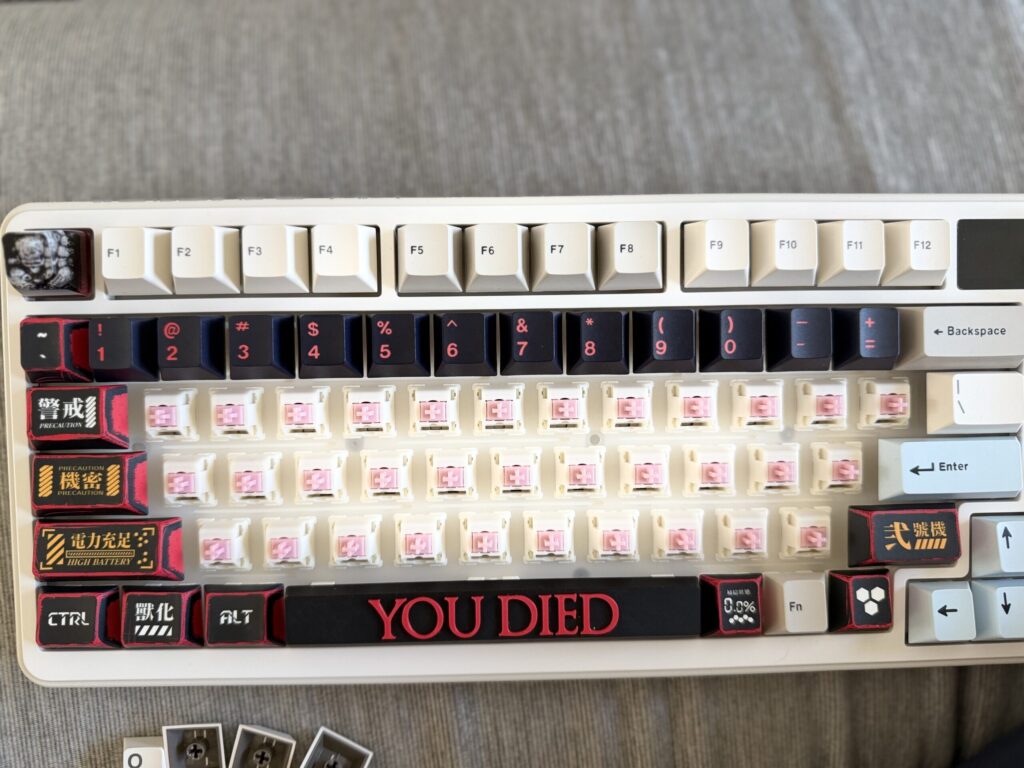
The screen next to the knob displays the time, connection status, battery level…and whatever GIF I upload through the software. I uploaded Barack Obama’s WTF hand gesture as the start up GIF lmao, which then right after it goes to the confused Black guy with question marks GIF. Every time I look up from typing I see him, confused and surrounded by floating punctuation, and I feel deeply understood, especially at work.
In Conclusion
When I started, I didn’t know what 75% meant. I didn’t know what OEM or Cherry MX was, nor anything about switches and stem shape. I didn’t know what hot-swap was or why it mattered. Also learned keycap profiles existed and could betray you, heh. I just knew I wanted something that felt like me: chaotic and referential and a little dark and also kind of funny. The keyboard on my desk right now is all of that.
It is, against all odds, exactly what I wanted.
I just had to have a lot of drive and curiosity to get there.
Full List of Parts Below:
| Keyboard | Location | Cost |
| YUNZII B75 PRO MAX QMK/VIA Wireless Mechanical Keyboard,75% Layout with Screen and Knob | Amazon | $76 |
| Alphabet Keys | Location | Cost |
| Red Dragon Keycap Set | Etsy | $44 |
| Rest Of Keys | Location | Cost |
| Key Manga Anime Keycaps Set | Amazon | $23 |
| Keys To Replace | Location | Cost | Notes |
| Esc | Amazon | $20 | Artisan Keycaps Skull Resin Skull keycap |
| Spacebar | Etsy | $20 | See You Space Cowboy |
| Arrow Keys | Etsy | $43.89 | PlayStation Keycaps |
| Enter | Etsy | $26 | Nier Keycap Set, Gestalt, Automata, Replicant |
| Backspace | Etsy | $14 | You Died |
| Fn | Etsy | $43.89 (included) | PlayStation Keycap |
| F5 – F8 | Etsy | $26 (Included) | Nier Keycap Set, Gestalt, Automata, Replicant |
Discover more from Kris In Thought
Subscribe to get the latest posts sent to your email.
Leave a Reply
You must be logged in to post a comment.